Introduction
FreeScan Omni is a wireless all-in-one handheld 3D scanner (hereinafter referred to as "the scanner") independently developed by SHINING 3D. It supports both laser and infrared dual light sources to meet various scanning needs. With a built-in AMOLEAD touchscreen and embeded chip, it can complete the entire process from scanning to mesh processing without a computer.
Appearance of the Scanner
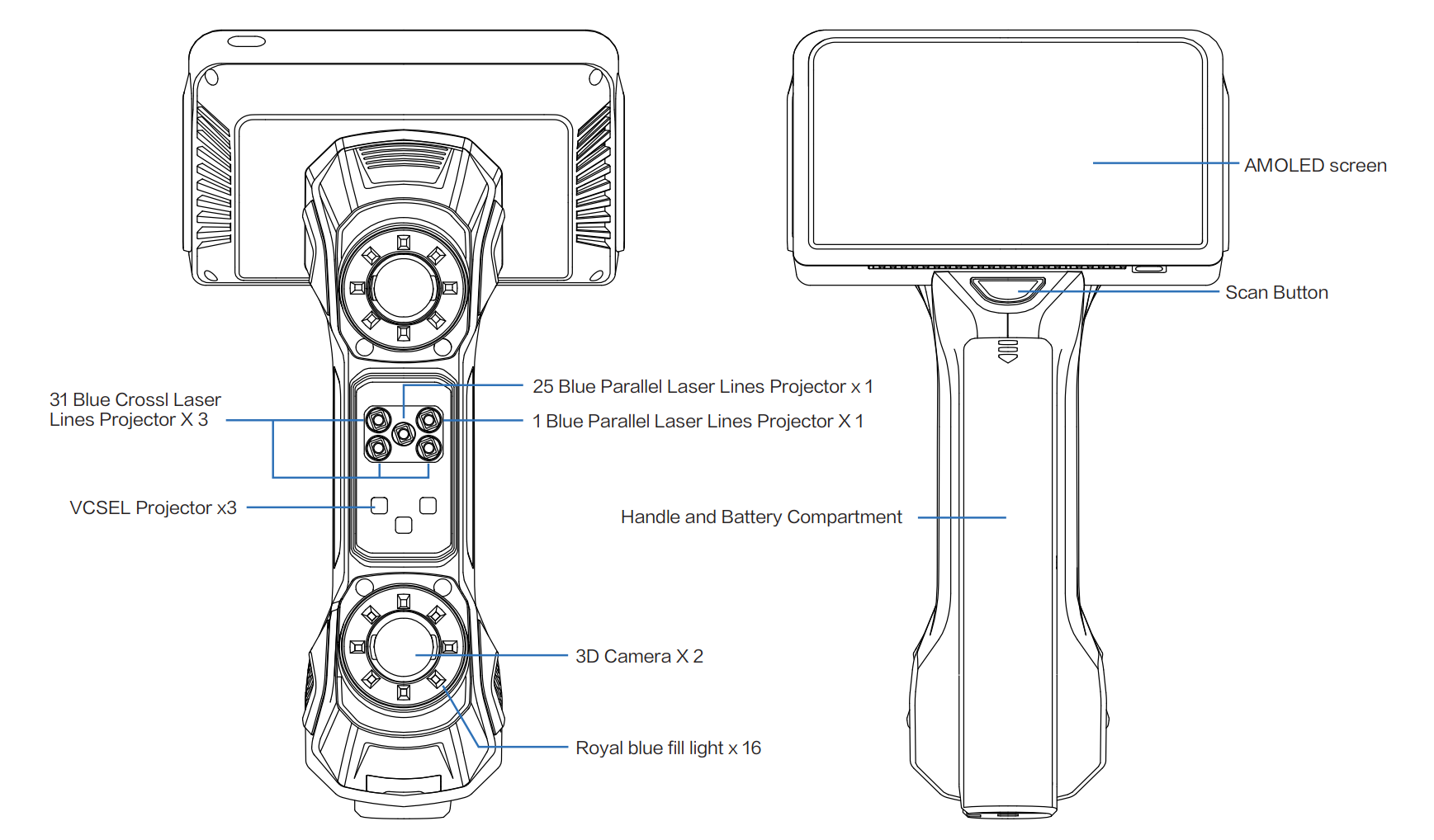
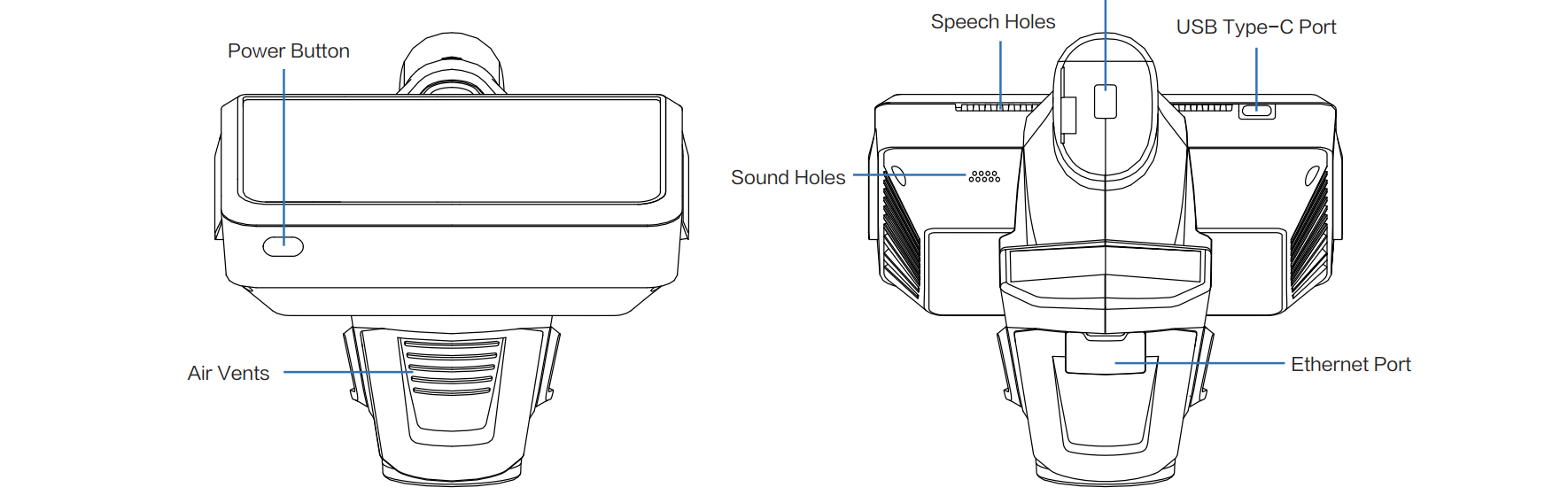
| Button | |
|---|---|
| Power Button | |
| Scan Button |
Appearance of Smart Dock
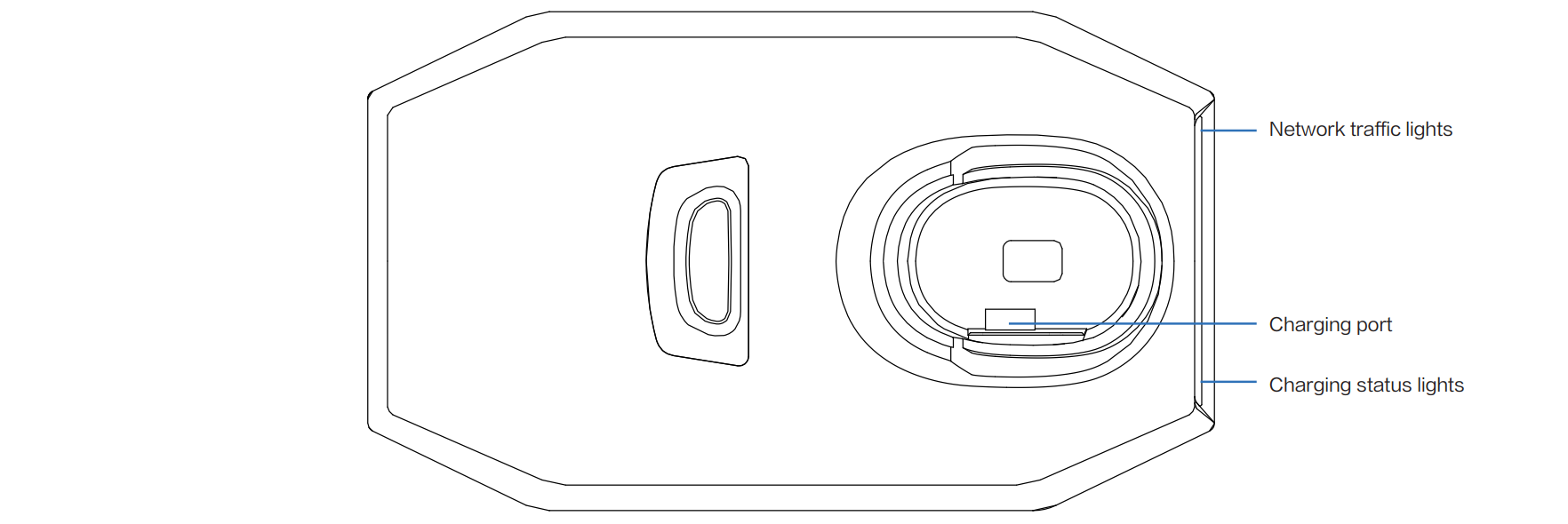
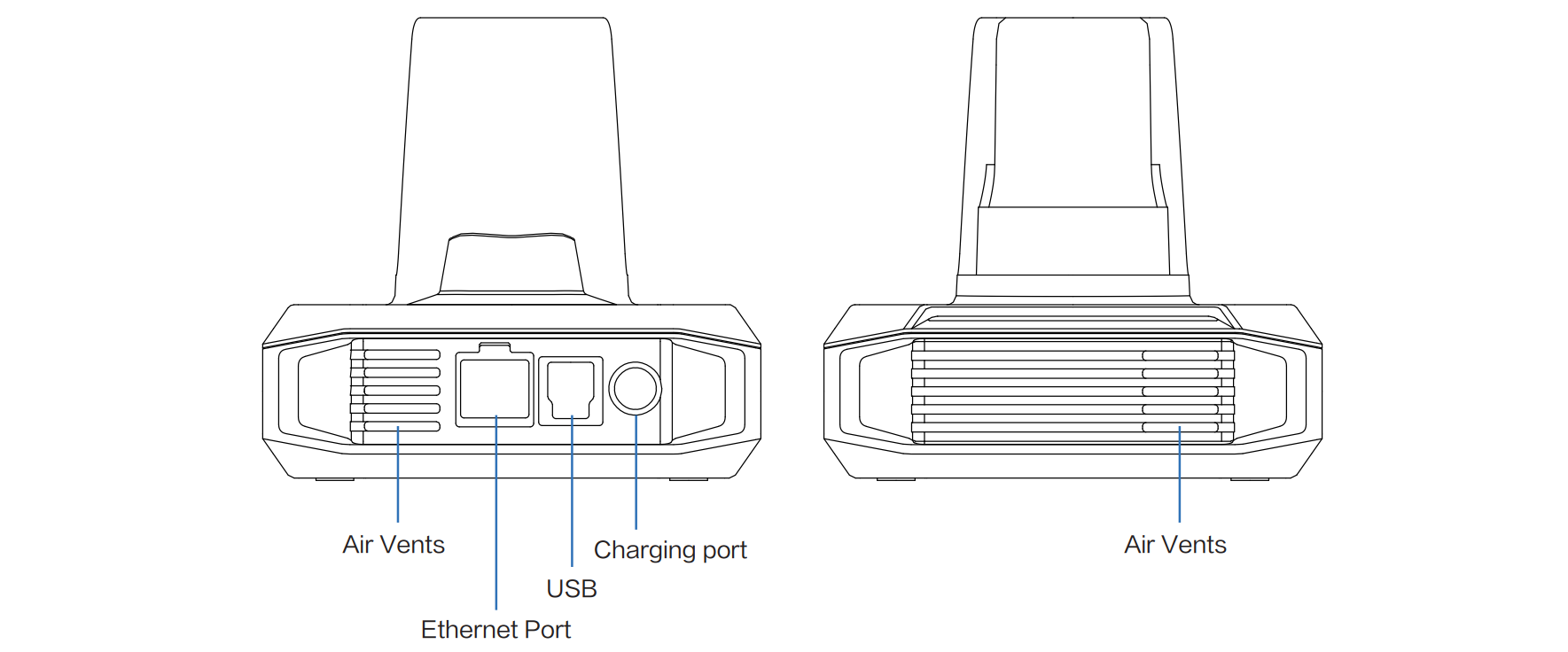
| Status | Charging Status Light (Left) | Network Signal Light (Right) | Description |
|---|---|---|---|
| Base powered normally (device not inserted) | Steady cyan light | Main unit not inserted | |
| Base hardware abnormal | Flashing orange light | Fan abnormal, NTC abnormal, over temperature | |
| Powered on with device inserted (charging) | Breathing green light | ||
| Charging abnormal | Steady orange light | Main unit inserted, battery not fully charged, not charging | |
| Charging complete | Steady green light | ||
| WiFi hotspot starting | Breathing cyan light | ||
| WiFi hotspot started | Steady cyan light | ||
| WiFi hotspot initialization abnormal | Steady orange light | ||
| Firmware upgrading | Flashing blue light | Requires connection to PC software | |
| Device connected | Steady green light | Requires connection to PC software |