Connection
Caution
Please make sure you are using the correct power adapter.
Steps
-
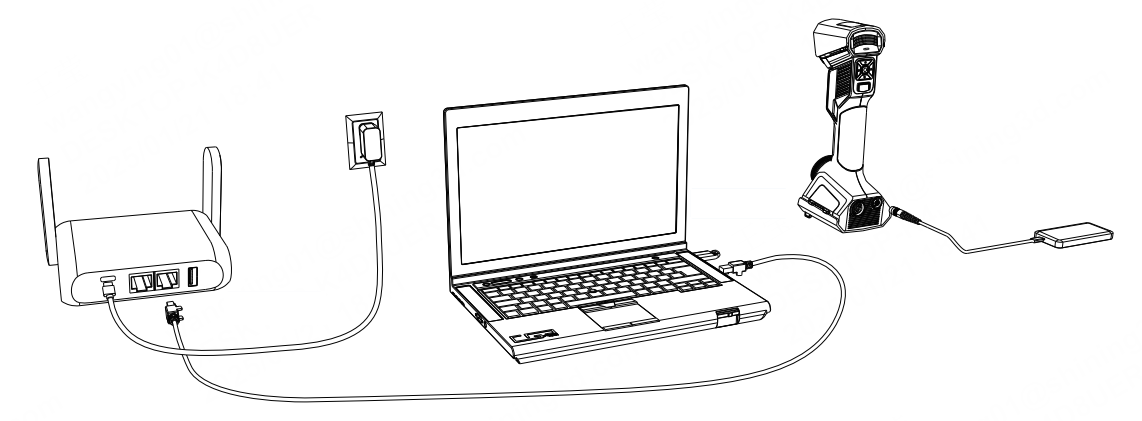
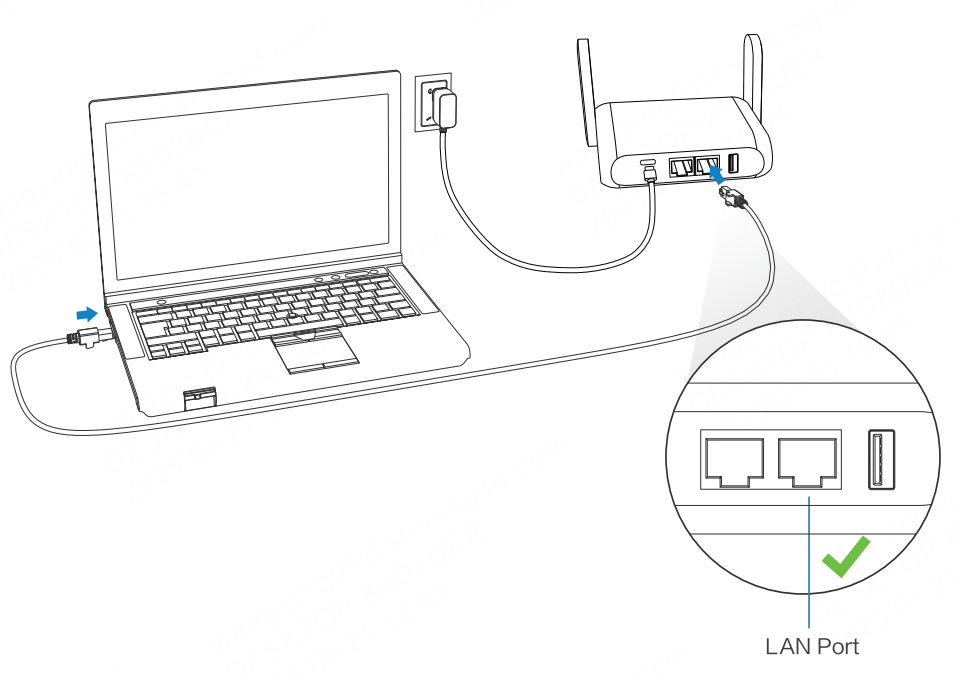
Connect the router to the computer via an Ethernet cable.
Note
Insert the Ethernet cable into one of the LAN ports (not the WAN port).
-
Power on the router and the indicator of the router turns yellow.
- Power on the scanner.
- Insert the dongle into the computer.
Caution
If you need to replace your router, choose one that supports a 5G frequency band and Wi-Fi 6 capability.
To switch to a wired connection for wired pairing or wired scanning, follow these steps for the connection:
-
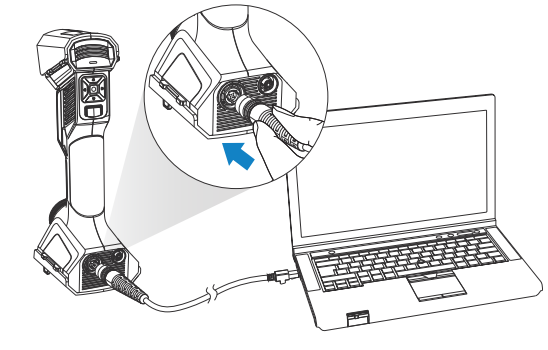
Insert the circular end of the data cable into the UE Pro2. Connect the other end of the data cable to the Ethernet port on the computer.
-
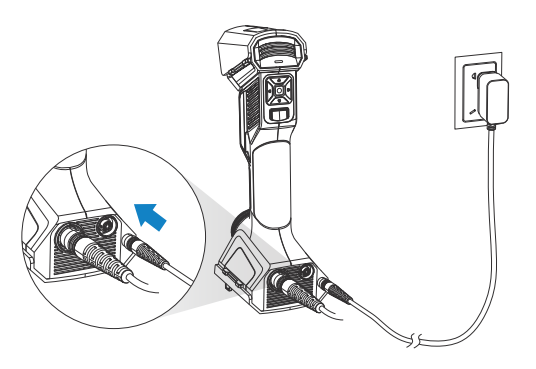
Connect the power cable to the adapter.
-
Connect the device to the power cable and wait for the device to power on.
-
Insert the dongle into the computer.
Note
- If you need to use the full functionality, please insert the dongle.
- If you don't insert the dongle and only connect the device, the software will automatically enter the guest mode when you start it.
- If you don't insert the dongle and don't connect the device, the software will automatically enter guest mode after selecting the device type.