Scanning Preparation
Caution
- Ensure the lens is free of scratches or damages.
- Ensure the device is connected and powered on.
- Ensure a secure joint of the scanner with the tripod and make them stable.
- Do not touch the lens with your fingers lest fingerprints be left to affect data acquisition.
Note
When scanning mesh in trak scan mode:
- No need to place markers on the objects.
- Make sure the object to be scanned is in the visual field of the tracker.
- Do not cover, touch or damage the balls on the scanner when it is working.
- Do not move the object and the tracker during scanning.
Note
When Scanning Markers in trak scan mode or in laser scan mode:
- Need to place markers on the objects.
- Place the markers evenly and randomly.
- Do not use damaged or incomplete markers.
- Do not use greasy, dusty, or dirty markers.
- Do not attach the markers to a surface with high curvature.
- If the device fails to capture markers, it will not emit laser lines.
- Four markers are required for the alignment of common areas.
- Ensure that the device’s camera can scan at least 3 markers within the normal scanning range.
- Please attach markers, whose diameter is smaller than 6mm, to the edges and/or small areas of the model.
- Ensure that the distance between markers is about 0.5m when scanning markers in trak scan and the distance between markers is about 20mm - 100mm when scanning in laser scan mode.
Col
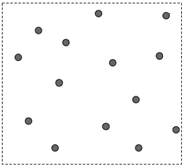 Markers are attached correctly
Col
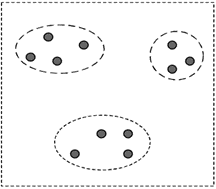 Artificial grouping of markers
Col
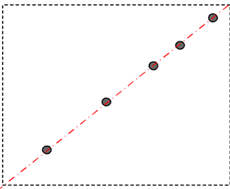 Attach markers only in one line