Calibration
Please follow the guidance to start the calibration.
Note
To enlarge the calibration interface, press F11 for the full-screen display. While in full-screen mode, press F11 or Esc to exit the full-screen display.
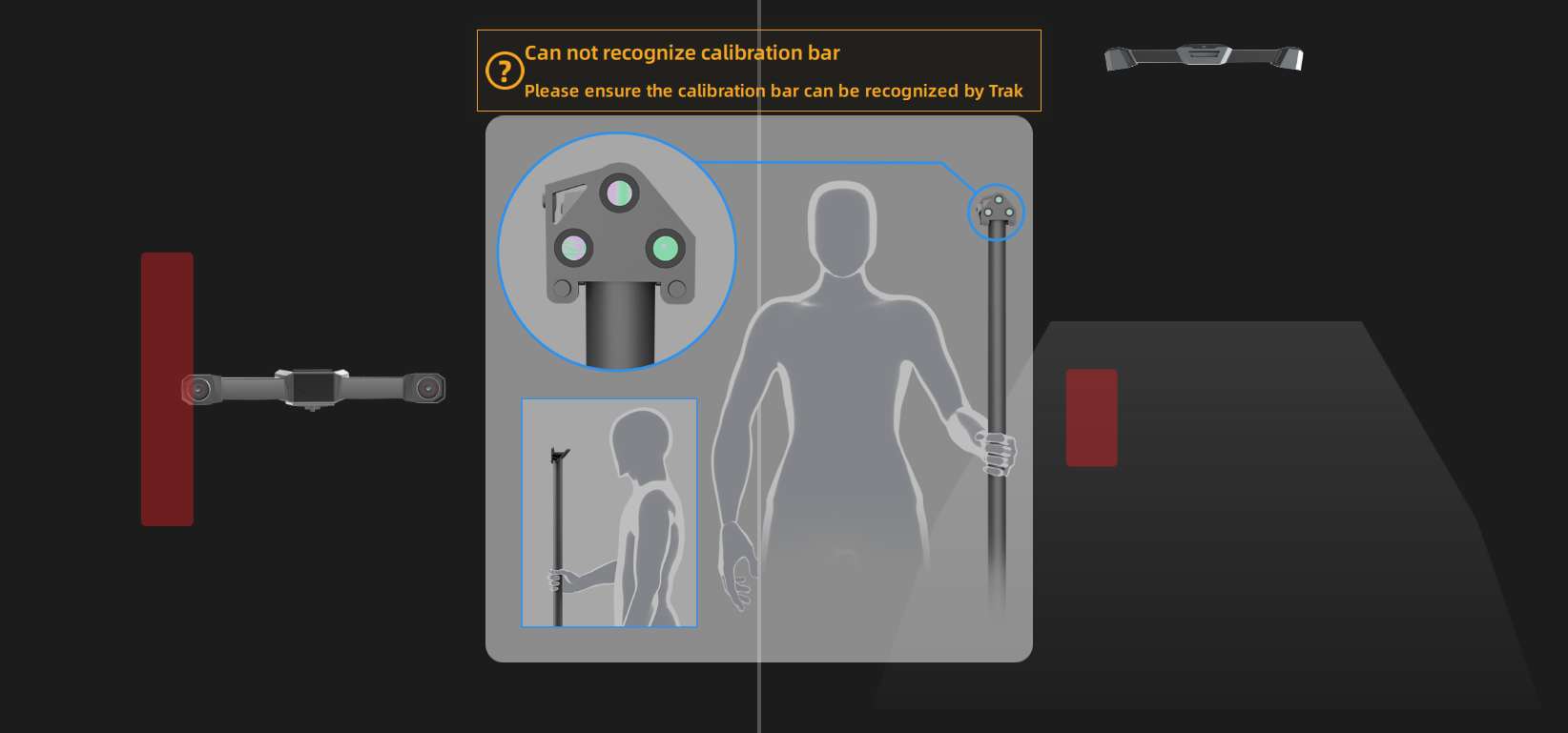
- Stand in the visual field of the tracker with a calibration bar.
- Move the bar to a correct position and the calibration will start.
- Change its direction.
Note
- Do not cover or damage the markers on the calibration bar.
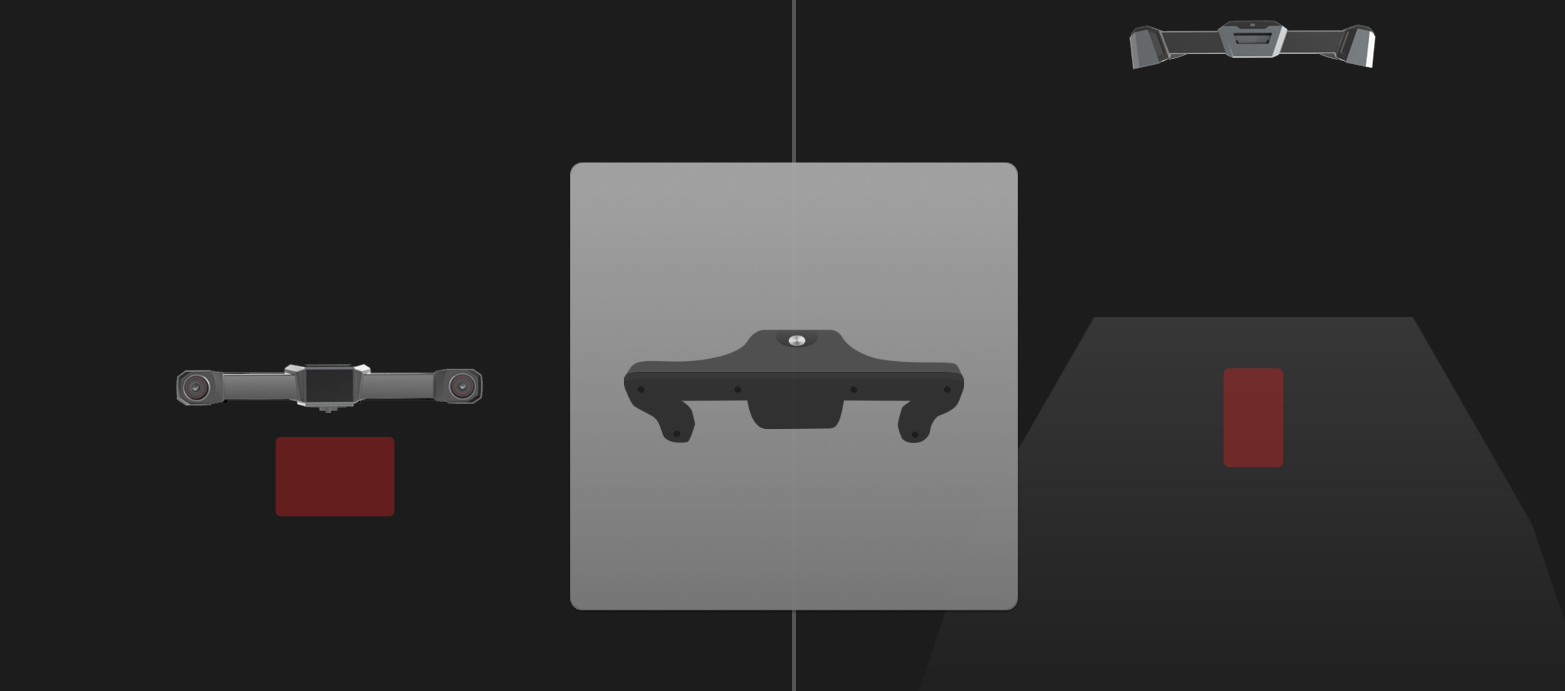
- If the tracker fails to recognize the calibration bar, please follow the guidance and adjust the direction of the bar to make sure it is at a right position in the front view and the top view.
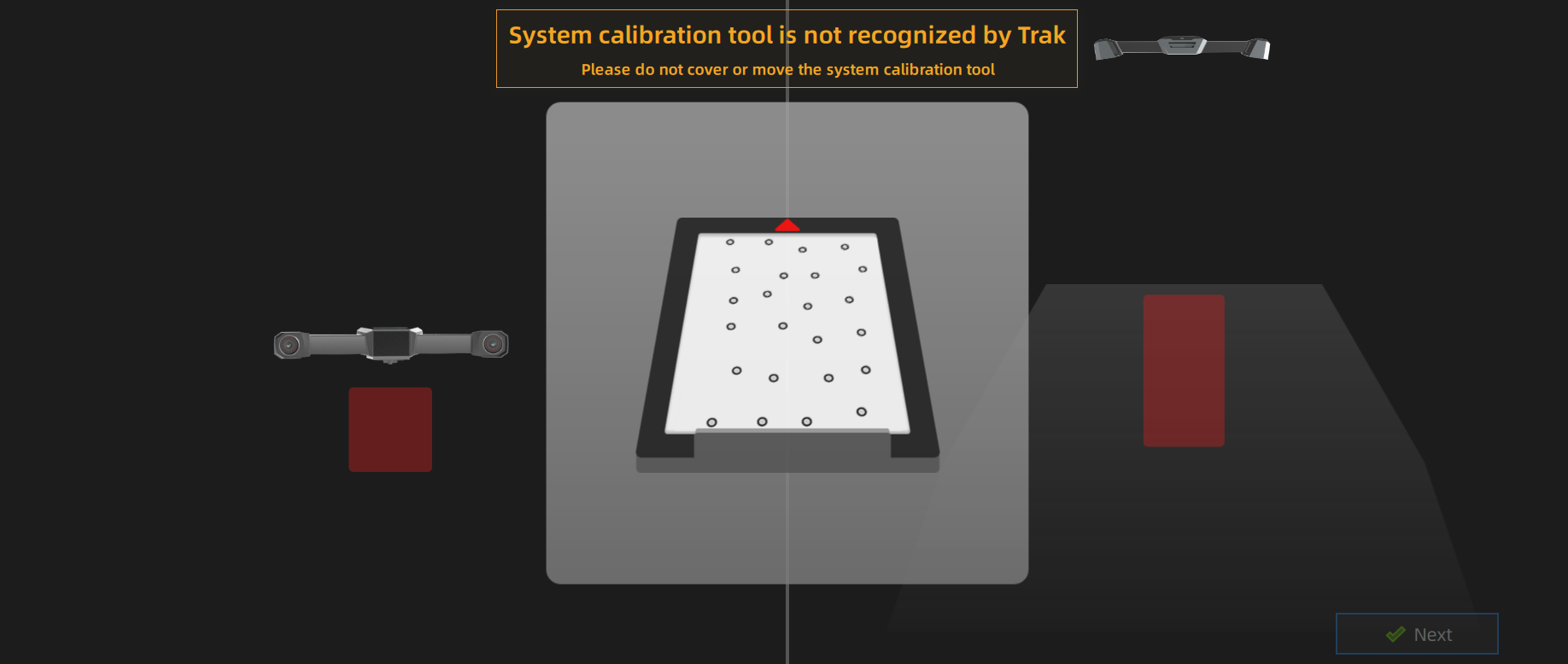
- Place the system calibrator in the visual field of the tracker, and move it to a right position in the front view and the top view.
- Click Next to do system calibration.
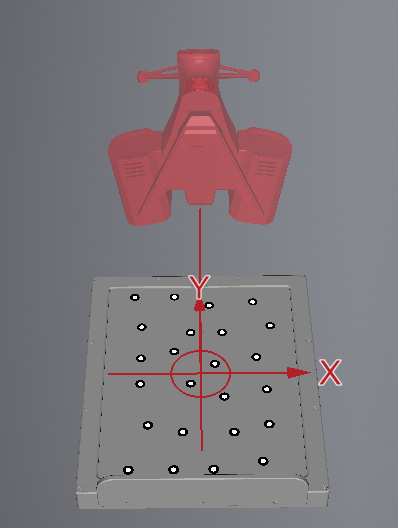
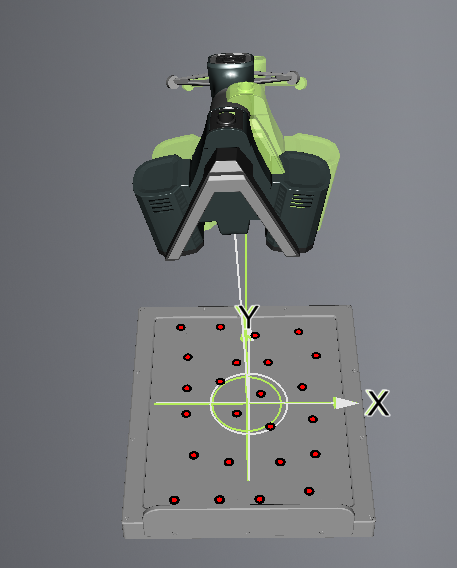
- Align the three-dimensional graphics and coordinates of the device with the diagrams on the interface one by one, and complete the calibration of all positions.
Col
Col
-
Please enter the diameter of the probe. You can enter a value between 0.3 (inclusive) and 6 (inclusive), with a maximum of one decimal place (unit: mm).
Note
Col
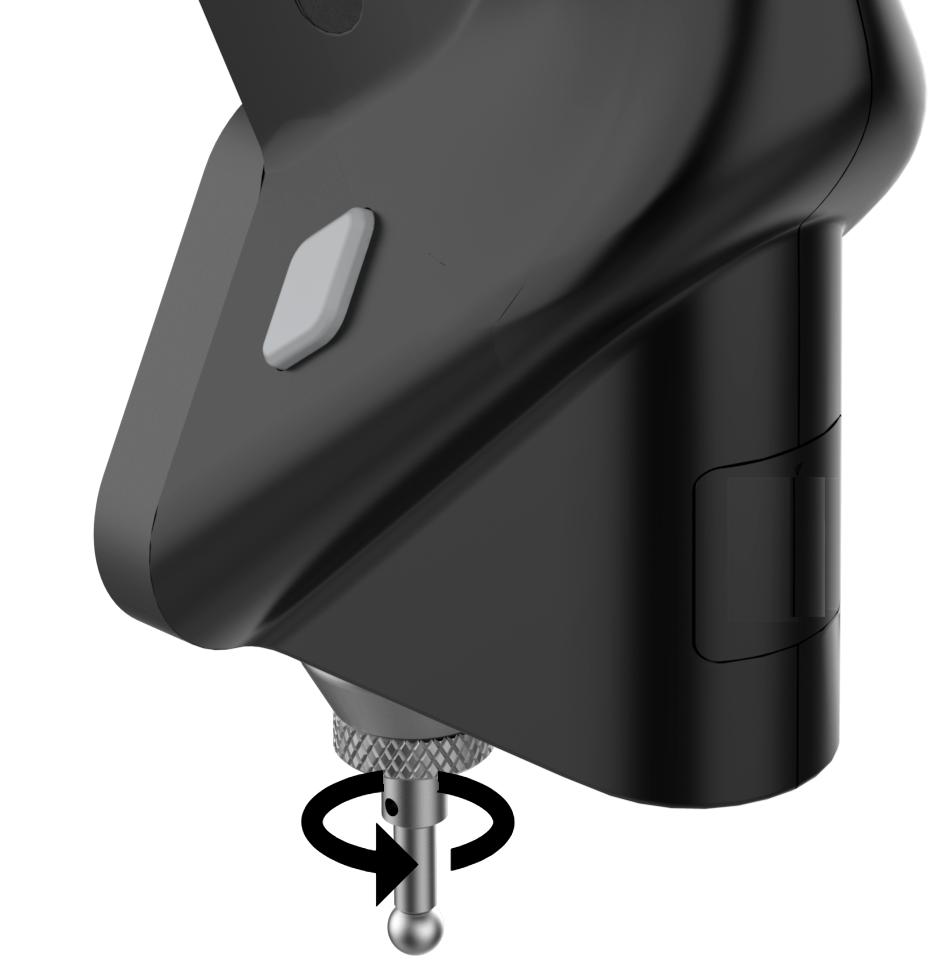
- The probe comes with 3 mm and 5 mm ruby measuring tips. You can replace the tip according to your needs, as shown in the diagram, and enter the corresponding diameter before calibrating the probe. After calibration, you can use the probe for measurement.
- If you need to replace the ruby measuring tip, please recalibrate it after replacement to ensure measurement accuracy.
- If you need measuring tips of other diameters, please prepare them yourself.
Col
-
Move the calibrator of FreeProbe into the position according to the guidance.
-
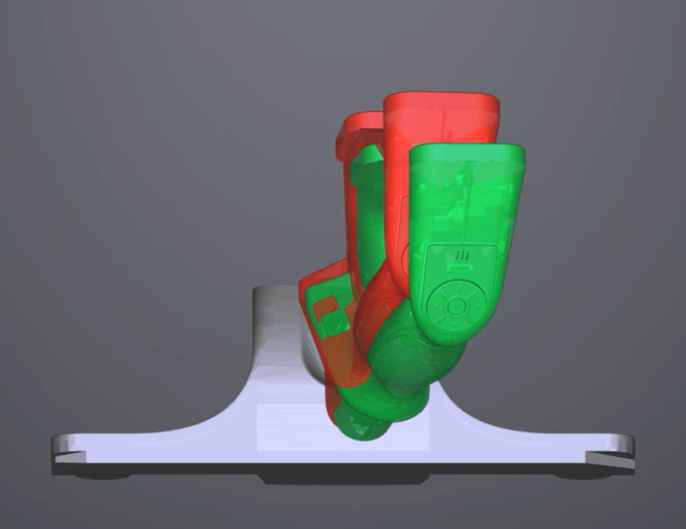
Place the tip of the probe at the specified position according to the interface diagram, and adjust the position of the probe to align with the red indicator diagram multiple times until the entire probe calibration is completed.
The navigation bar on the top of the interface will display  when the calibration is successful. If no calibration is performed for more than 7 days,
  will appear and prompt you to calibrate the device again to ensure scanning accuracy.
Note
When hovering the cursor over , you can see the exact time when all devices are calibrated. You may need to calibrate the device when the corresponding time is yellow, and not to do when it is green.