Plaque Detection Scan
Dental plaque is a microbial community that adheres to the teeth and is not easily visible. Plaque Detection Scan can make dental plaque visible by coloring the plaque, clearly showing the distribution and range of the colored plaque on the tooth surface.
It can be widely used for plaque inspection, evaluation of patients' oral hygiene status, guiding patients on proper teeth brushing, monitoring the effectiveness of oral treatments, enhancing patients' oral health awareness, and providing a basis for personalized treatment plans.
For example, after color scanning, the dentist can generate a report, which can be a reference for checking the distribution and extent of the patient's dental plaque. Based on that, the dentist can guide the patient on the proper methods of teeth brushing, or taking special treatment measures. For areas where plaque tends to accumulate, it is suggested that the patient should pay more attention when teeth brushing.
When the patient returns for a follow-up visit, the dentist can compare the plaque distribution before and after treatment, monitoring the treatment effectiveness and making adjustments to the treatment plan.
Create an order
More details can be found in Create Order.
After creating the order, click Scan to enter the scanning process.
Note
- Please select Restoration or Other as the dentistry type.
- Please check Plaque Detection Scan.
Preparations before scanning
Before scanning, the dentists should color the plaque with the dye to make the plaque visible.
- Check the patient's oral conditions and ensure the mouth is clean, free of food debris, and the tooth surface is dry.
- The patient should open the mouth and the teeth should be fully exposed (use a mouth opener if necessary).
- Painting the teeth according to the dye instructions.
Caution
- Please read the dye instructions before painting.
- Before painting, use a cotton ball or gauze to dry the saliva on the tooth surface.
Start scanning
After the plaque is colored, please start scanning. The suggested scanning process is: scanning the upper jaw, the lower jaw, and the bite. Refer to Restoration Scan for more details.
- Click
 to start scanning the upper jaw and the lower jaw, ensuring all tooth surfaces are scanned.
 - After completing the scan, click
 to the next step.
 - Scan the bite on both sides.
- Click to complete the scan.
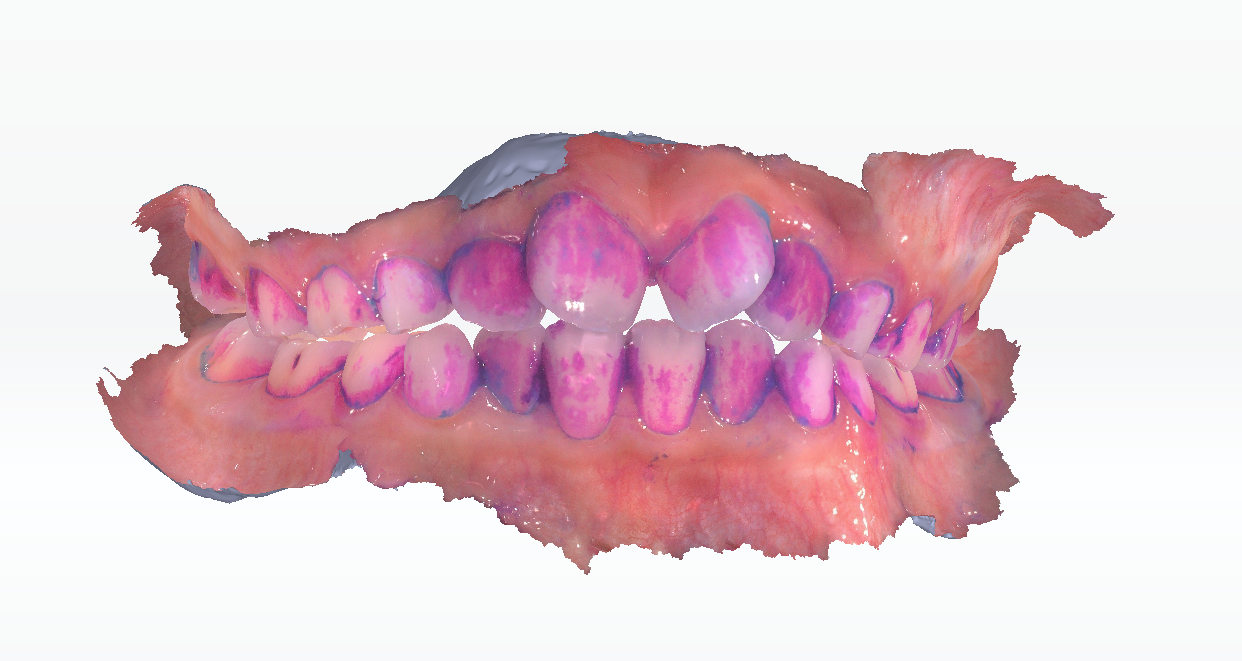
Quick Plaque Sense
After scanning, Quick Plaque Sense is supported in Pre-design. You can click  on the right panel. More details can be found in Quick Plaque Sense.