Align
In the interface of  mesh editing, click
  in the left-side mesh editing toolbar to align the model. This will help adjust the model's coordinate system more appropriately, facilitating subsequent measurements or further design work.
Note
If you realign a mesh model that has already been uploaded to the SHINING 3D Cloud, you will need to re-upload it.
The left main view is the front view, while the right small views represent the right view and the top view, arranged as shown in the following illustration:
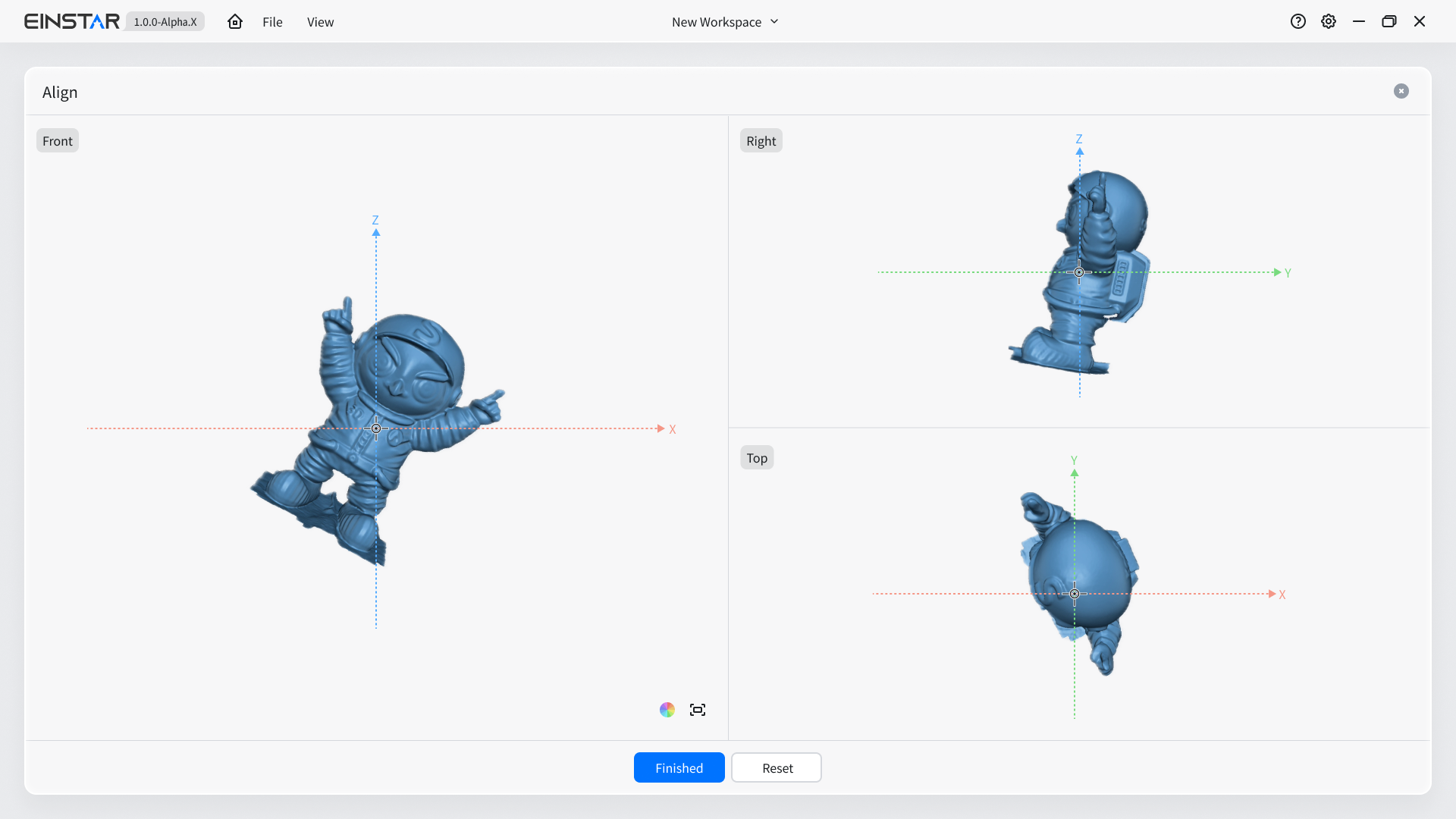
During model alignment, you can translate, rotate, and scale the model within the three view areas (for specific gesture operations, please refer to the operations); any translation and rotation of the model in one view area can be applied in real-time in the other view areas.
Note
The scaling operation only affects the current view and does not impact the actual model.
Click the Finished button to save the aligned data, which will prompt “ Operation Successful” and return you to the mesh editing interface. Alternatively, you can click the Reset button to restore the model to its initial pose.