Device
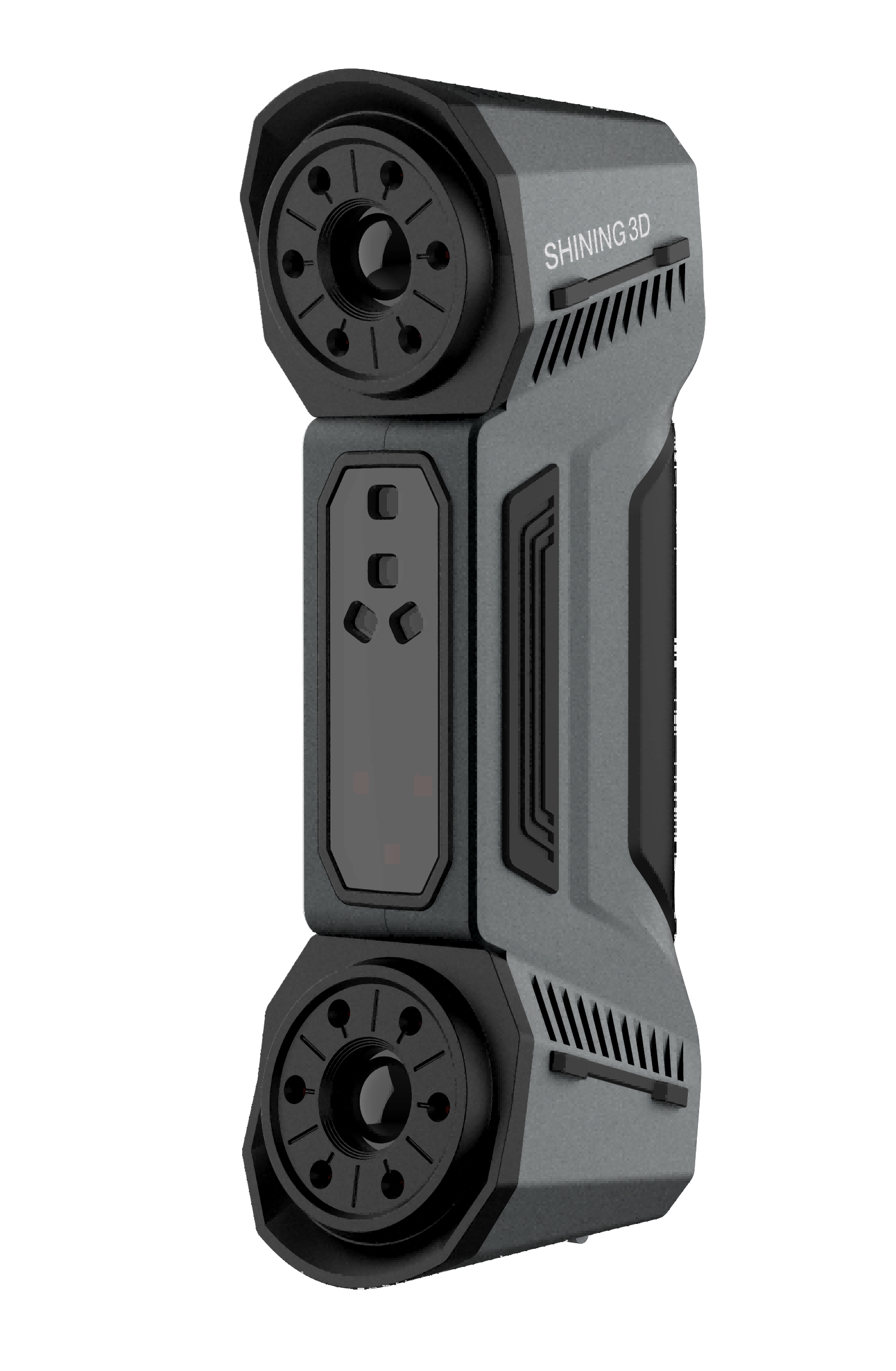
FreeScan Combo+ is a handheld laser 3D scanner independently developed by SHINING 3D. The scanner supports the laser mode and the IR mode. The laser mode is mainly used in industry scanning; the IR mode is mainly used in portrait scanning and object scanning.
Appearance
 |
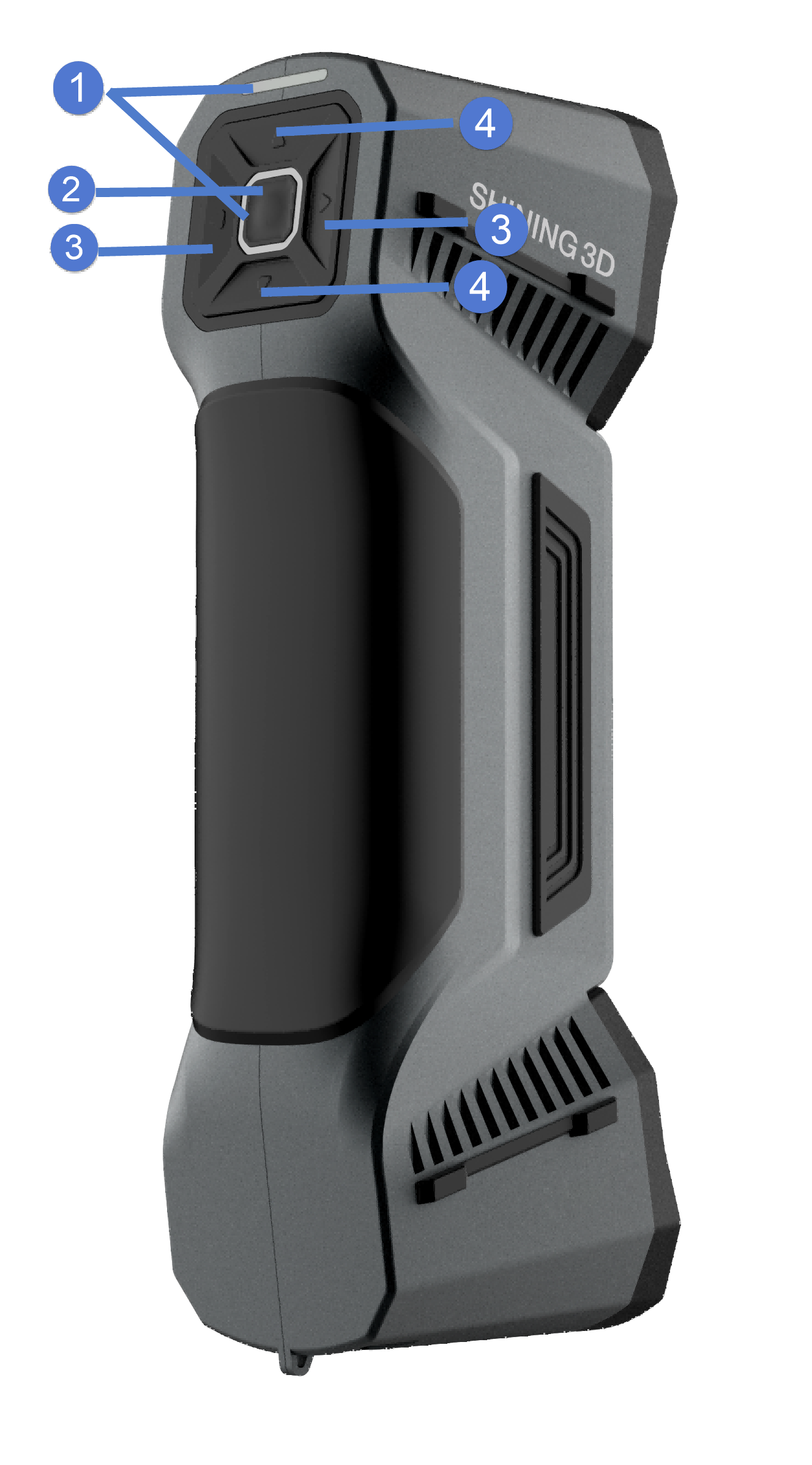 |
| Only after the power indicator lights on, the scanner can be operated. Scanning distance indicator:
|
||
| Click: Preview/Start Scan/Pause Scan. Double-click: call out the menu, and at this time the scanning button becomes the confirmation button. Press and hold: Switch slight source mode. |
||
(left button and right button) |
Brightness adjustment of the camera windows.
|
|
(up button and down button) |
Adjustment of the size of data displayed in the preview window
|
Connect cables
Caution
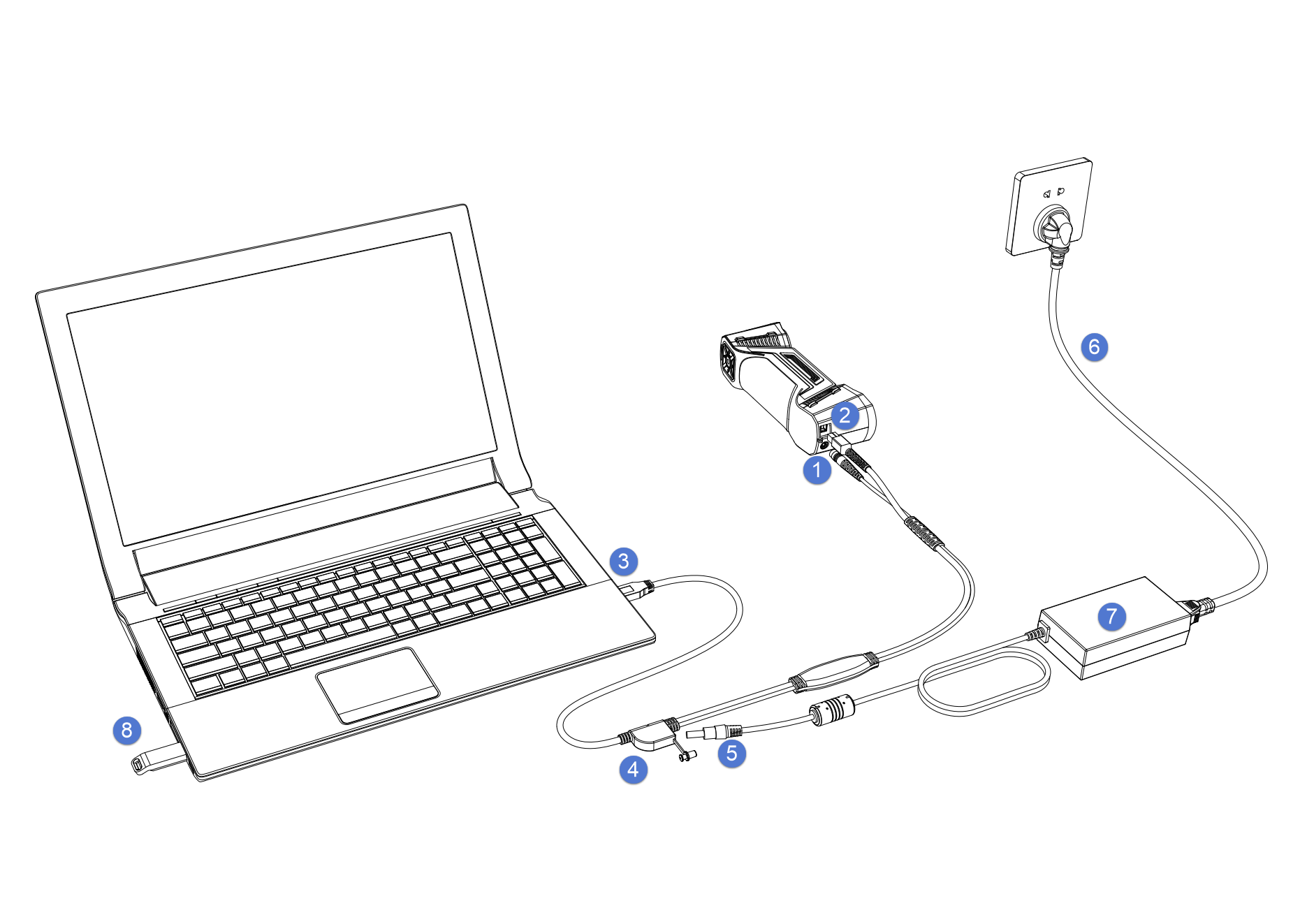
Make sure you are using the correct power adapter (12 V / 5 A).
Steps
- Connect the aviation cable (4) to the power port (1) and the USB port (2).
- Connect the power cord (6) to the power adapter (7).
- Connect the power adapter (5) into the aviation cable (4).
- Connect the USB port (3) on the aviation cable to the PC USB 3.0 port.
- Insert the Dongle (8) into the PC USB port.
- Plug in socket to power up.
Note
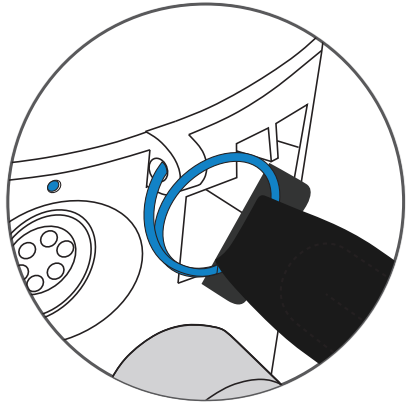
To prevent accidental dropping of the scanner from the hand, it is advisable to attach a wrist strap at the rear of the scanner. You can wear the strap while using the scanner.

Note
- Please ensure that the external adapter for the computer is plugged in.
- It is recommended to use hardware configuration with dual-channel memory.