Create Features
Click  to display the menu of creating features. To close the menu, please click the icon again, or click Close.
Col
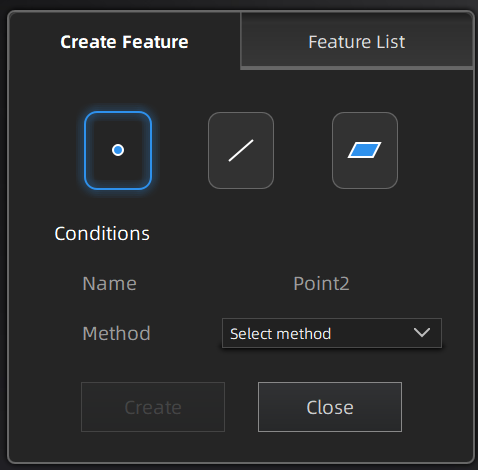
Col
Note
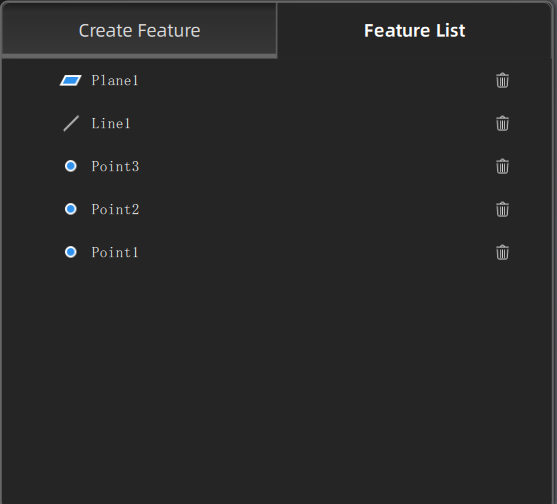
You can switch to Feature List to check the created features; you can also click  to delete features.
| Selected Points |
|
|
| Markers |
|
You can select markers to create feature points for model data that only have markers and are not meshed yet. |
| Line-Plane Intersection |
|
|
| Point-Point |
|
You can tick the checkbox before From or to and re-select the feature points. |
| Marker to Marker |
|
|
| Plane-Plane Intersection |
|
| 3 Points Fit |
|
|
| Point-Line Fit |
|
The point can't be in the line. |
| Best Fit | When there are selected data, click Create to create a plane that has the smallest deviation from the selected area. Note NoteYou can use editing tools or shortcuts to select the data. |
|
| Three Markers |
|
|
| Markers Point-Line Fit |
|
|
| Markers Best Fit | When there are selected markers (≥ 3), click Create to create a plane that has the smallest deviation from the selected area.Note You can use editing tools or shortcuts to select the data. |
You can select this mode to create a feature plane for model data that only have markers and are not meshed yet. |