Device
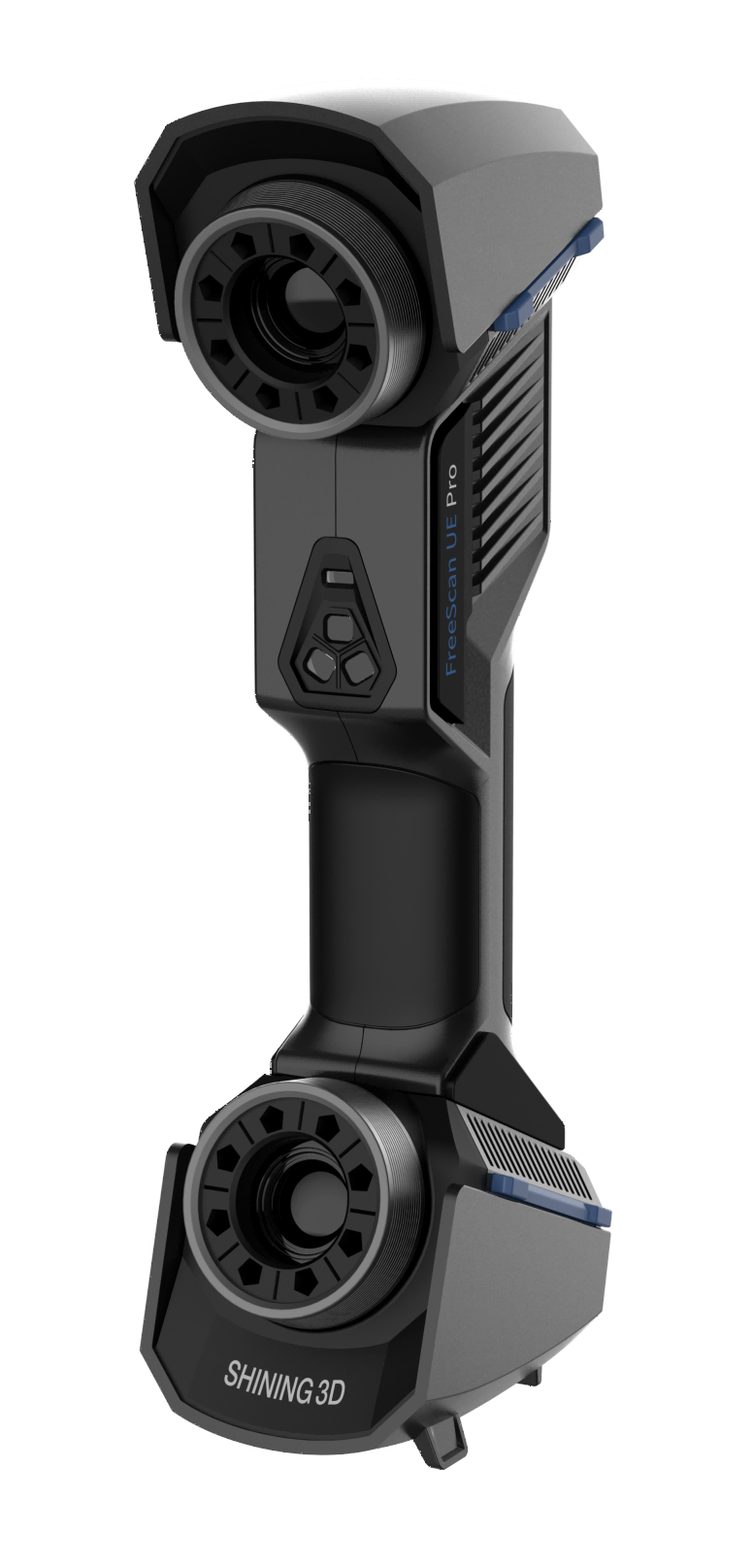
FreeScan UE Pro is a handheld laser 3D scanner independently developed by SHINING 3D, featured in the fast scanning speed, complete data acquisition, light weight, and convenient handholding operation. Besides, the device supports repeatable high-precision operations, without discrimination on the material and color of the objects to be scanned. Therefore, black or reflective surfaces are still scannable. This device is mainly used in industries such as automobile industry, transportation, aerospace, mold inspection and machinery manufacturing.
Appearance
| Appearance | Button |
|---|---|
 |
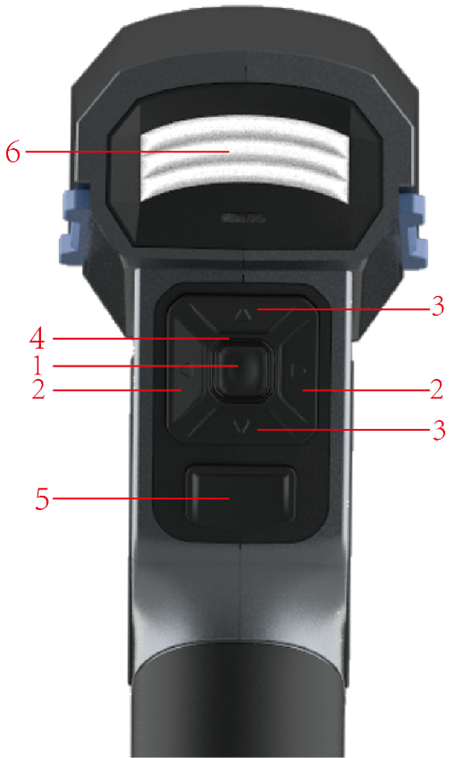 |
| No. | Name | |
|---|---|---|
| 1 | Menu | |
| 2 | Adjustment button | |
| 3 | Zoom button | / |
| 4 | Power indicator | Only after the power indicator lights on, the user can operate. |
| 5 | Scanning button | |
| 6 | Scanning distance indicator |
Laser Information
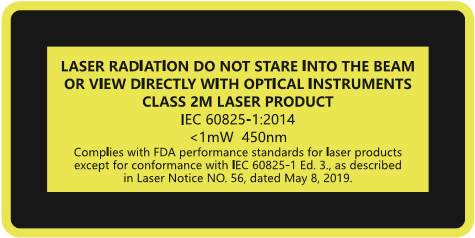
Class 2 Laser Product
Laser power: <1mW
Wavelength: 450nm
Complies with FDA performance standards for laser products except for conformance with IEC 60825-1 Ed.3., as described in Laser Notice No.56, dated May 8,2019.
Caution
Use of controls or adjustments or performance of procedures other than those specified herein may result in hazardous radiation exposure.
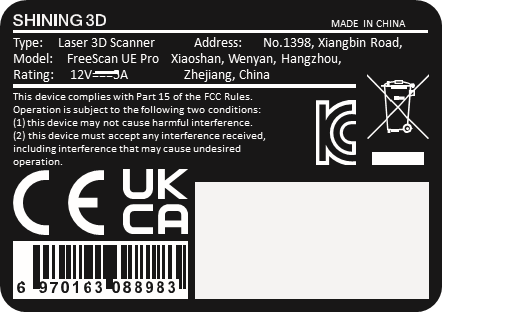
Labels
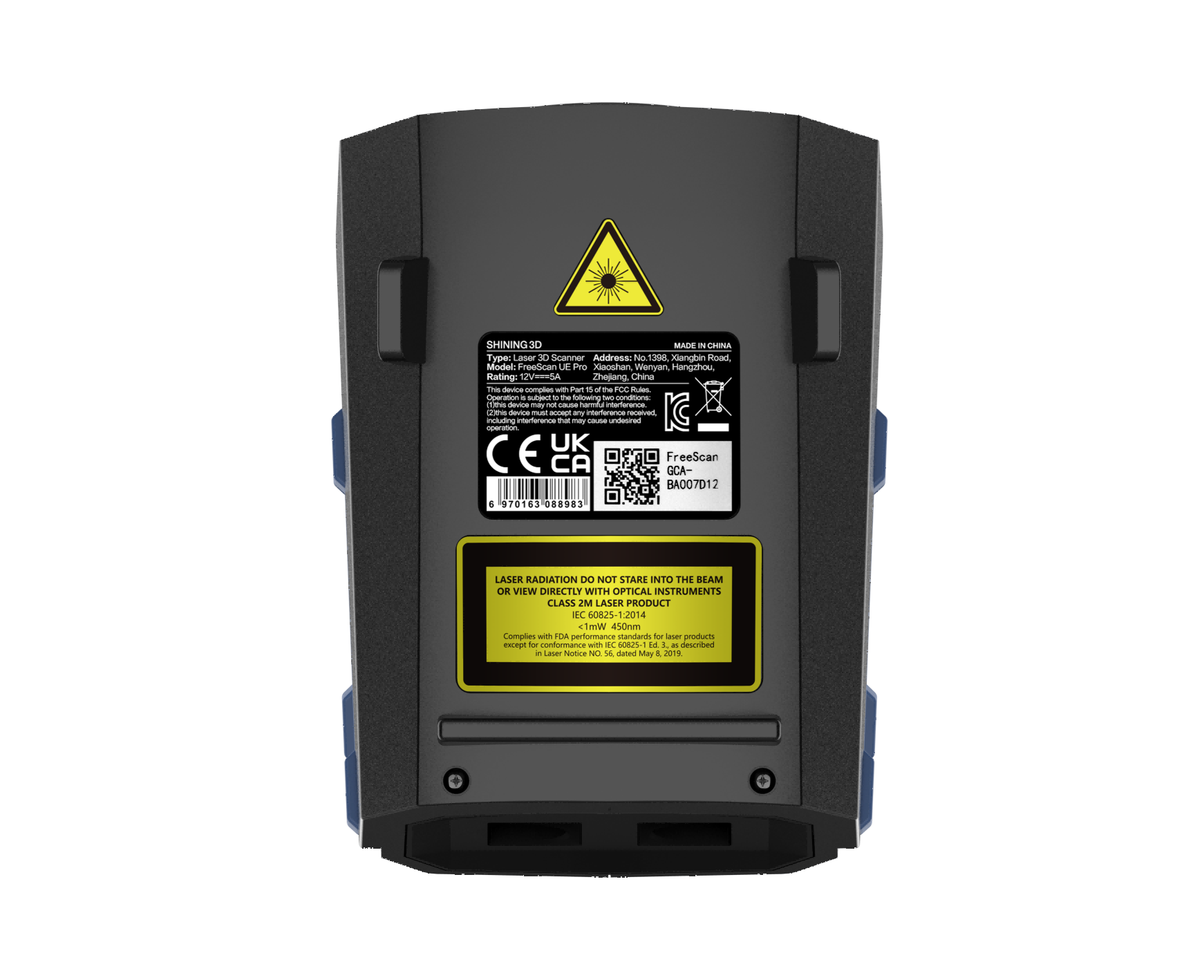
| Identification Label | Warning Label & Certification Label | Laser Logotype Label |
|---|---|---|
 |
 |
 |
| Logo | |
|---|---|
 |
LVD/EMC Directive This product complies with the European Low Voltage Directive 2014/35/EU and EMC Directive 2014/30/EU. |
 |
WEEE Directive-2012/19/EU The product this manual refers to is covered by the Waste Electrical&Electronic Equipment(WEEE) Directive and must be disposed of in a responsible manner. |
 |
The UKCA marking is the product marking used for products being placed on the market in Great Britain (England, Scotland and Wales). |
Connect Cables
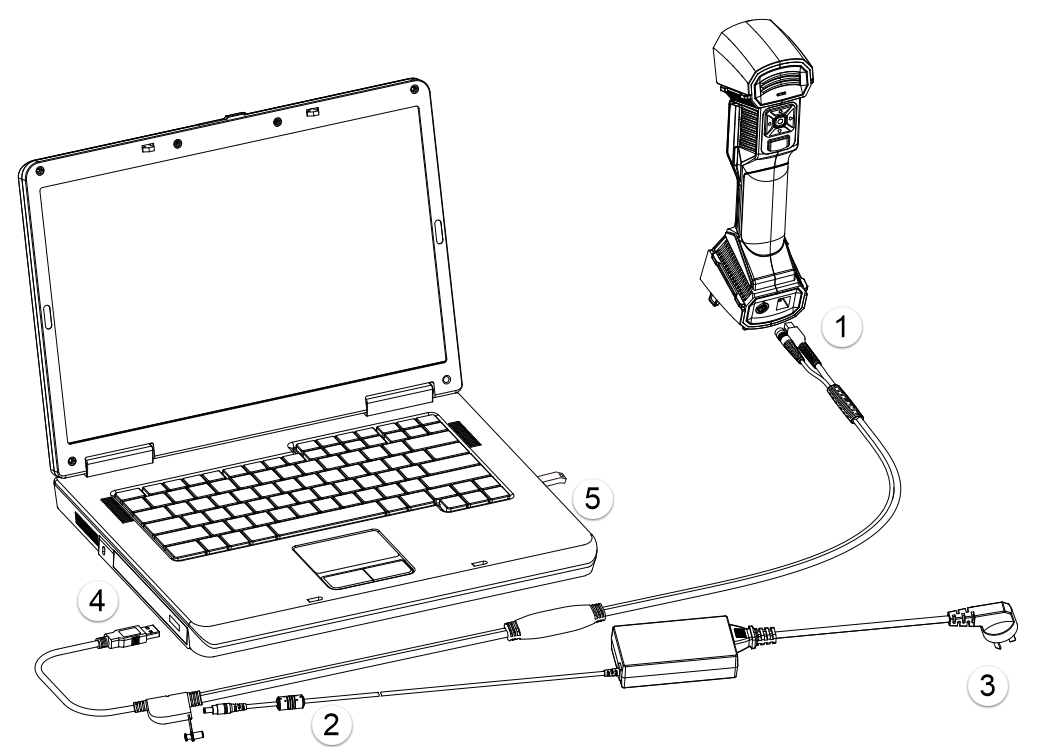
Caution
Make sure you are using the correct power adapter (12 V / 5 A).
Steps
- Connect aviation cable (4) to power port and USB port on the scanner.
- Connect power cord (3) and the power adapter (2).
- Connect power adapter (2) into aviation cable (4).
- Connect USB port on the aviation cable to the PC USB 3.0 port.
- Insert the Dongle (5) into the PC USB port.
Note
- Please ensure that the external adapter for the computer is plugged in.
- It is recommended to use hardware configuration with dual-channel memory.