Preparation
Precautions
- Ensure the device is connected successfully.
- Ensure the lens is free of scratches or damages.
- Ensure the object to be scanned is in the tracker's field of view.
- In wireless mode, ensure the scanner has sufficient power.
- Ensure the work area is clean, without other moving objects or items that may interfere with scanning.
- Do not touch the lens with your fingers to avoid leaving fingerprints that may affect data acquisition.
- In Trak Mode, do not cover, touch, or damage the balls on the scanner when it is working.
- If the tracker is placed on a tripod, ensure the connection between the tracker and the tripod is secure and stable.
- When performing single-station scanning with the scanner in Trak Mode, ensure that the tracker and the scanned object do not move.
Marker Placement
When performing leapfrog scanning in Trak Mode or standalone scanner scanning > marker alignment, markers need to be applied. The following are precautions for marker placement:
- Do not place markers on surfaces with high curvature.
- Do not use damaged, dirty, or incomplete markers.
-
Place markers as evenly as possible, and ensure there are at least 4 markers in the common area.
Col
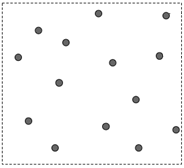 Markers are attached correctly
Col
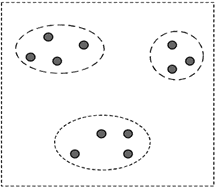 Artificial grouping of markers
Col
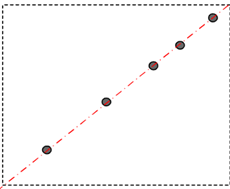 Markers placed in a straight line
 -
If the object to be scanned is too small, secure the object on a workbench and place markers on the workbench.
Powder Spraying
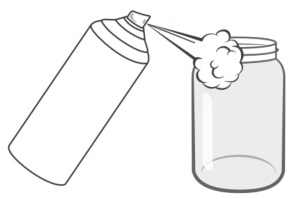
For scanning transparent and light-absorbing objects such as glass, you can use a professional developer spray on the object surface.