Report Management
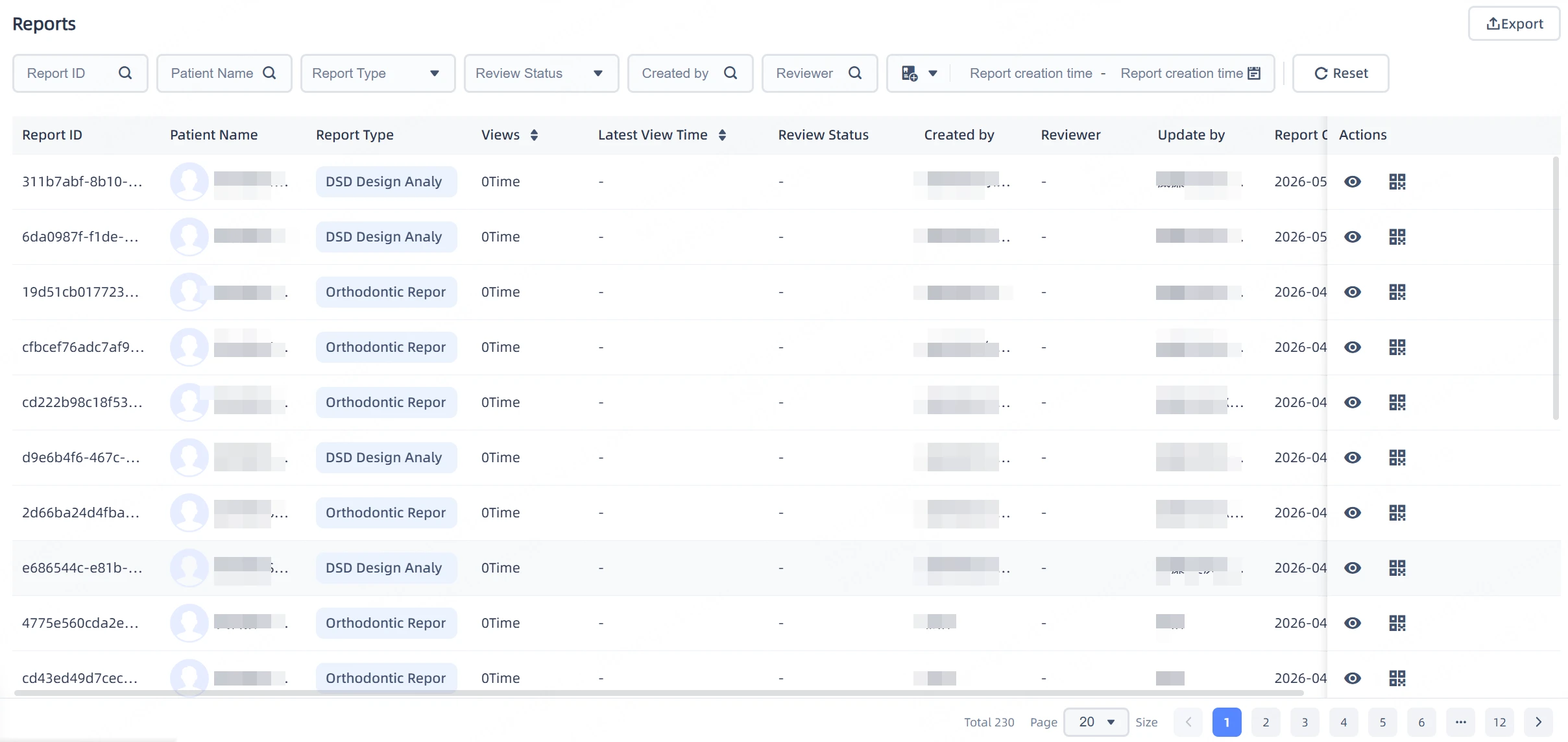
Clinic staff can view all patient report information through the report management function.
- Click
 to directly view specific report content.
 - Click
 to view the report QR code, where you can copy the link or download the QR code for sharing.
Report Review
You can enable report review at Institution Settings > Customized Settings and add reviewers to ensure the professionalism and completeness of reports.
Note
After enabling report review, the review status and reviewer information will appear on the report management interface.
- For unapproved reports, patients can only view the intraoral scan models and cannot view diagnostic details.
- After the review is completed, you need to click the "Review Complete and Update Report" button for it to take effect.
Report Filtering
Supports intelligent multi-dimensional filtering by time, patient, creator, report type, etc., allowing you to filter compliant reports with one click.

Report Export
You can export all reports on the current report management interface with one click.
Note
- Please confirm the filter conditions before exporting to avoid exporting excessive data.
- The current export limit is 1000 entries; if it exceeds 1000 entries, please adjust the filter conditions and export in segments.