Slab
Col
The slab feature is commonly used for measuring slots and keyways; in the feature creation toolbar, click  Slab to create slab features.
Note
Before creating slab features, you need to first create plane features.
Col
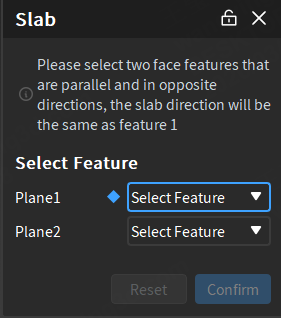
Creation Steps
- Select two parallel plane features with opposite normal directions.
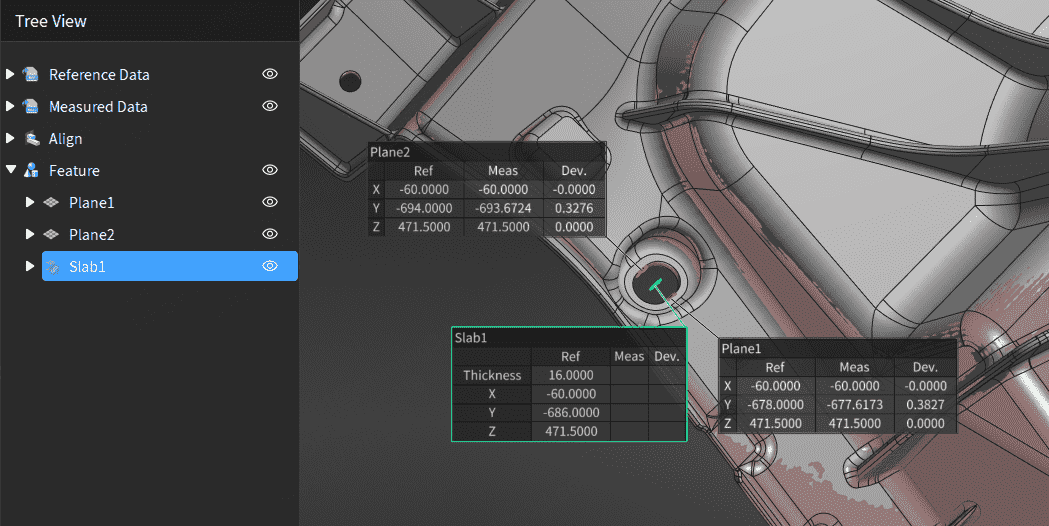
- Click Confirm to create the slab feature, which will be displayed in the
 feature module of the left tree view as
  feature group.
Note
If the selected plane features all have both reference features and measured features, then the created slab feature will also have both reference features and measured features.